07:40 · Numa for iPhone and iPadIn your pocket. On your knee.
A RAW photo editor for iPhone and iPad: masks found on the device, culling with a swipe, looks with a Strength slider. No subscription and no account: one purchase for iPhone, iPad and Mac.
iOS and iPadOS 26 or later · The TestFlight beta opens once Apple’s review is done
- 1
- purchase for iPhone, iPad and Mac, with no subscription. Free during the TestFlight beta.
- 2
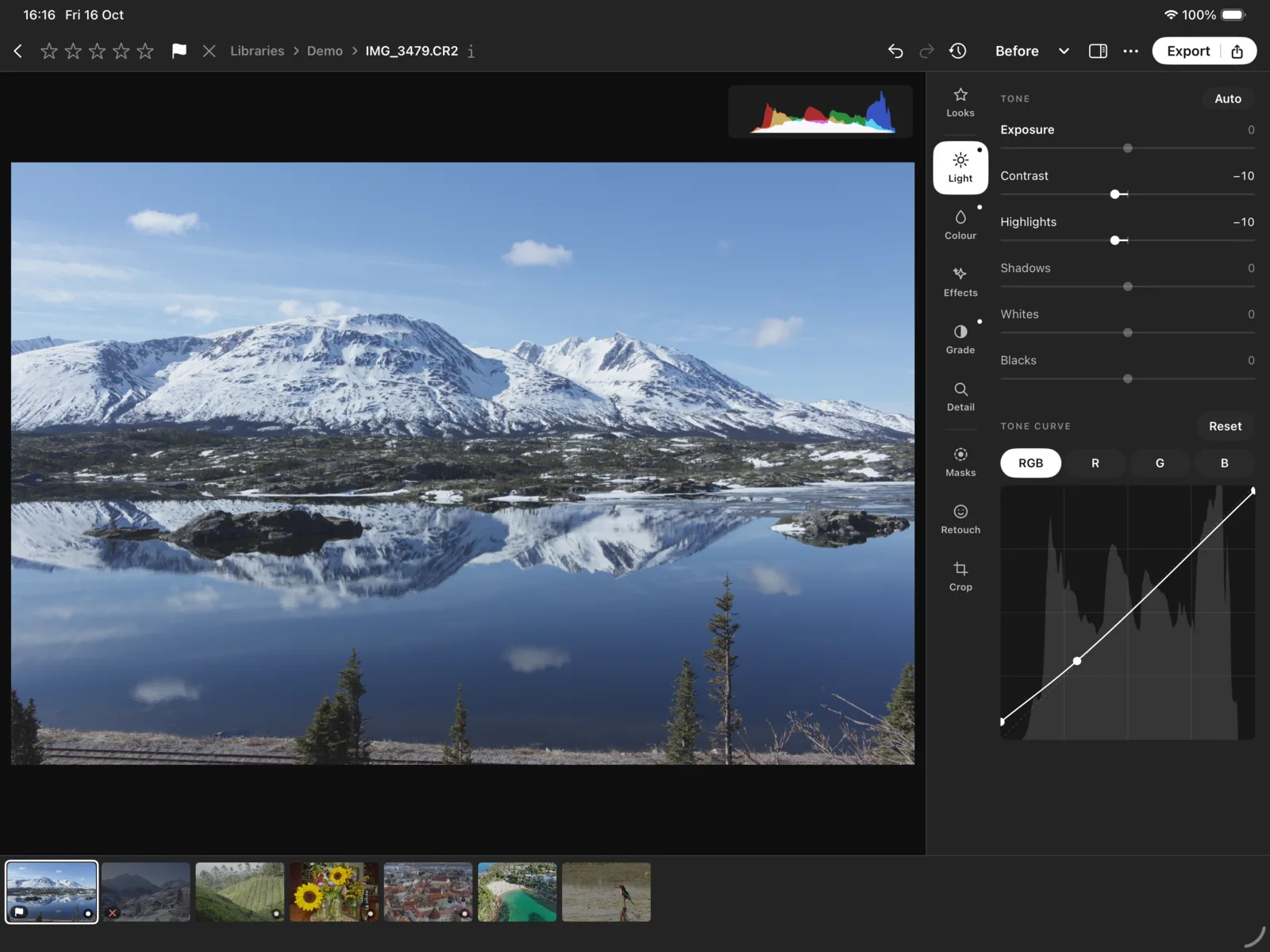
- editors on the iPad: Classic, with the panel beside the photograph, and Modern, for two thumbs.
- 0
- photographs uploaded. Masks and faces are found on the device, by models you choose to download.
On the iPhone
Last night, on the way in.
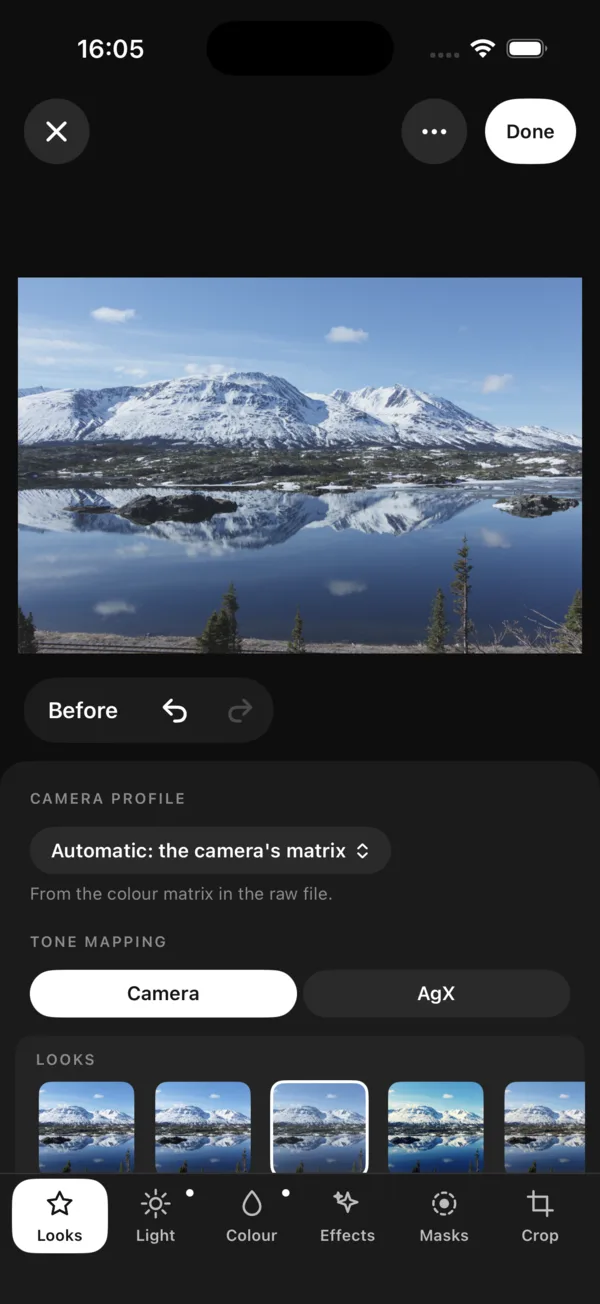
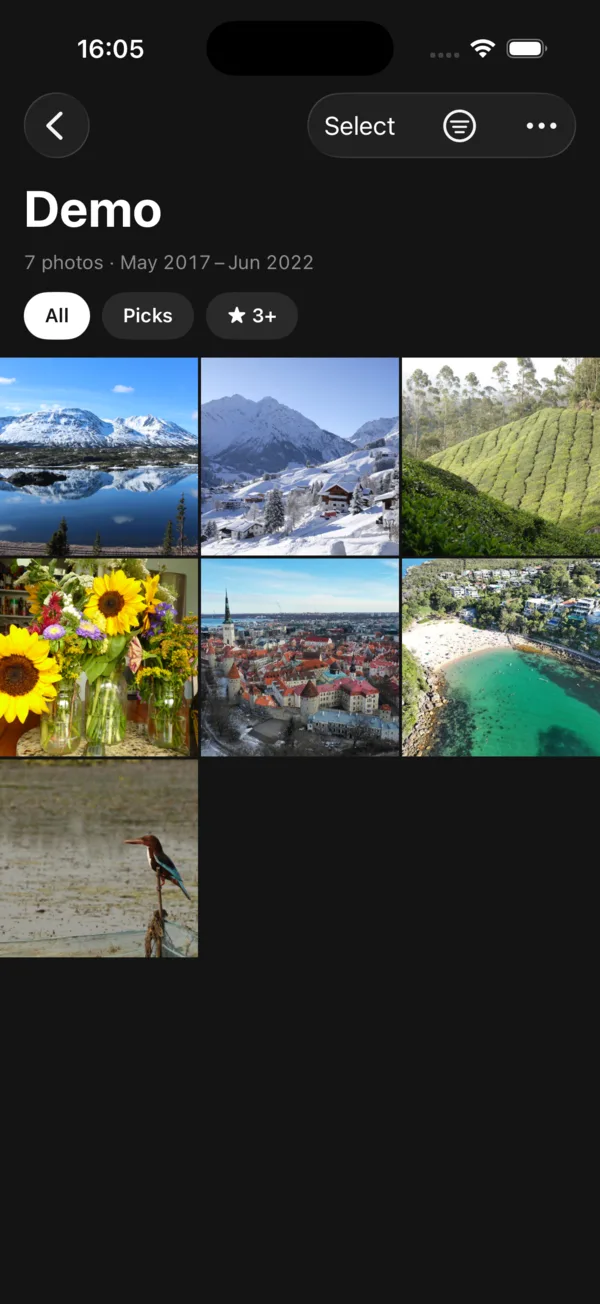
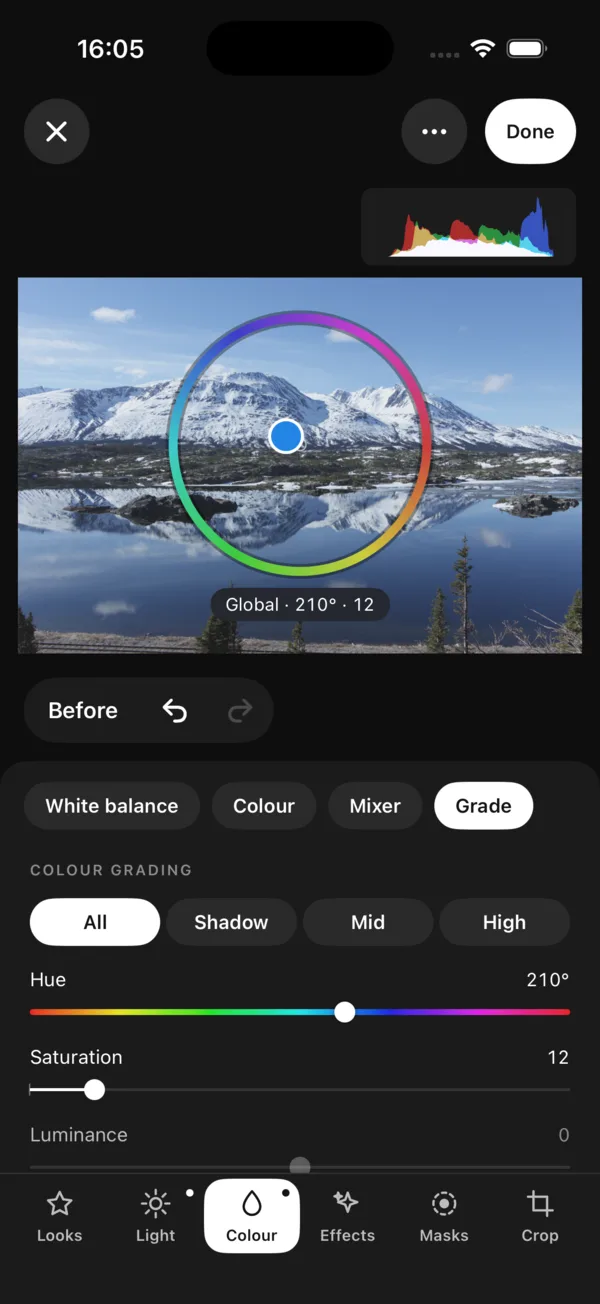
Look through the shoot on the train and swipe up to keep, down to let go. In the editor the photograph sits above a sheet with Looks, Light, Colour, Effects, Grade, Detail, Masks, Retouch and Crop. Hold Before to see where you started.
On the iPad
Two editors.
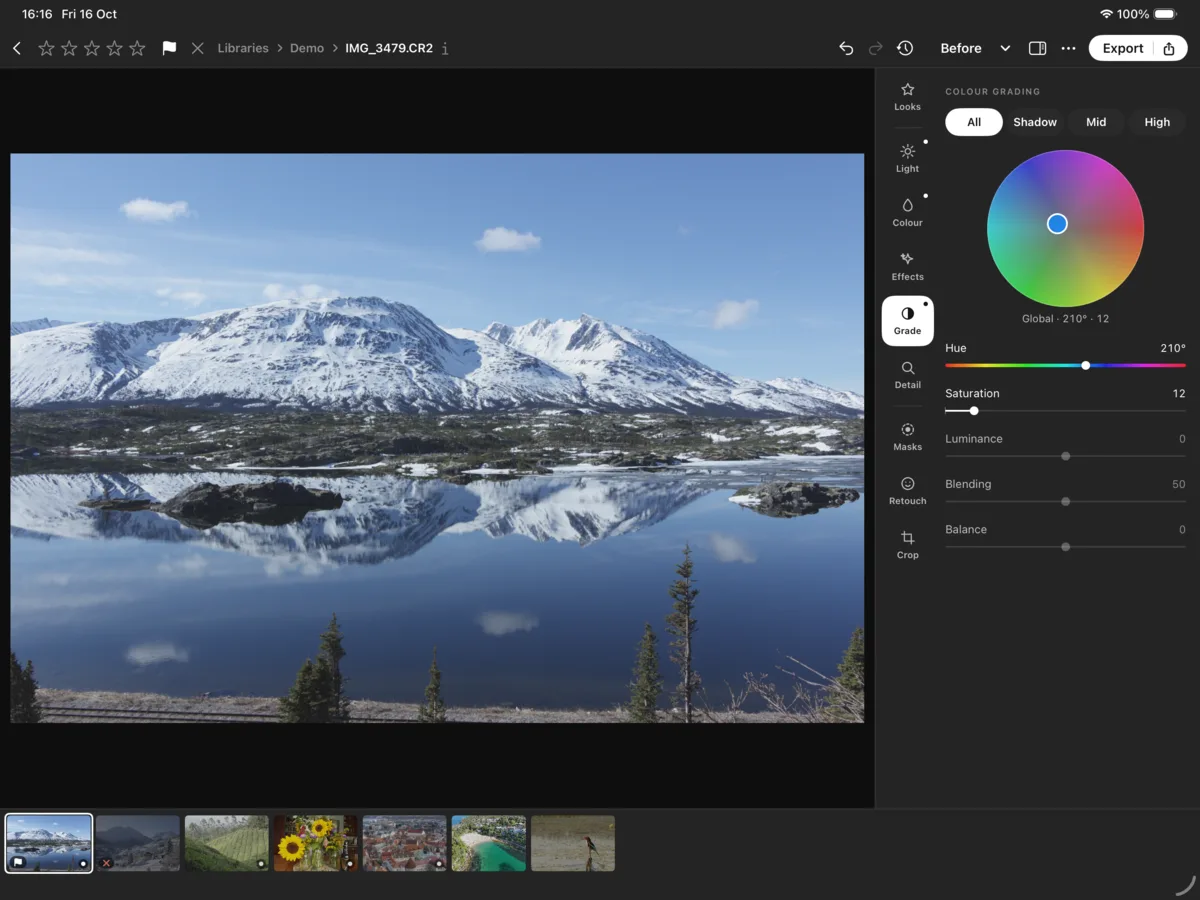
Classic puts the photograph beside the panel, with a filmstrip below. Modern fills the screen with the photograph and puts the controls where your thumbs rest: the tabs under one, the sliders under the other, the value floating at the top as you change it.
Masks
The sky, in one tap.
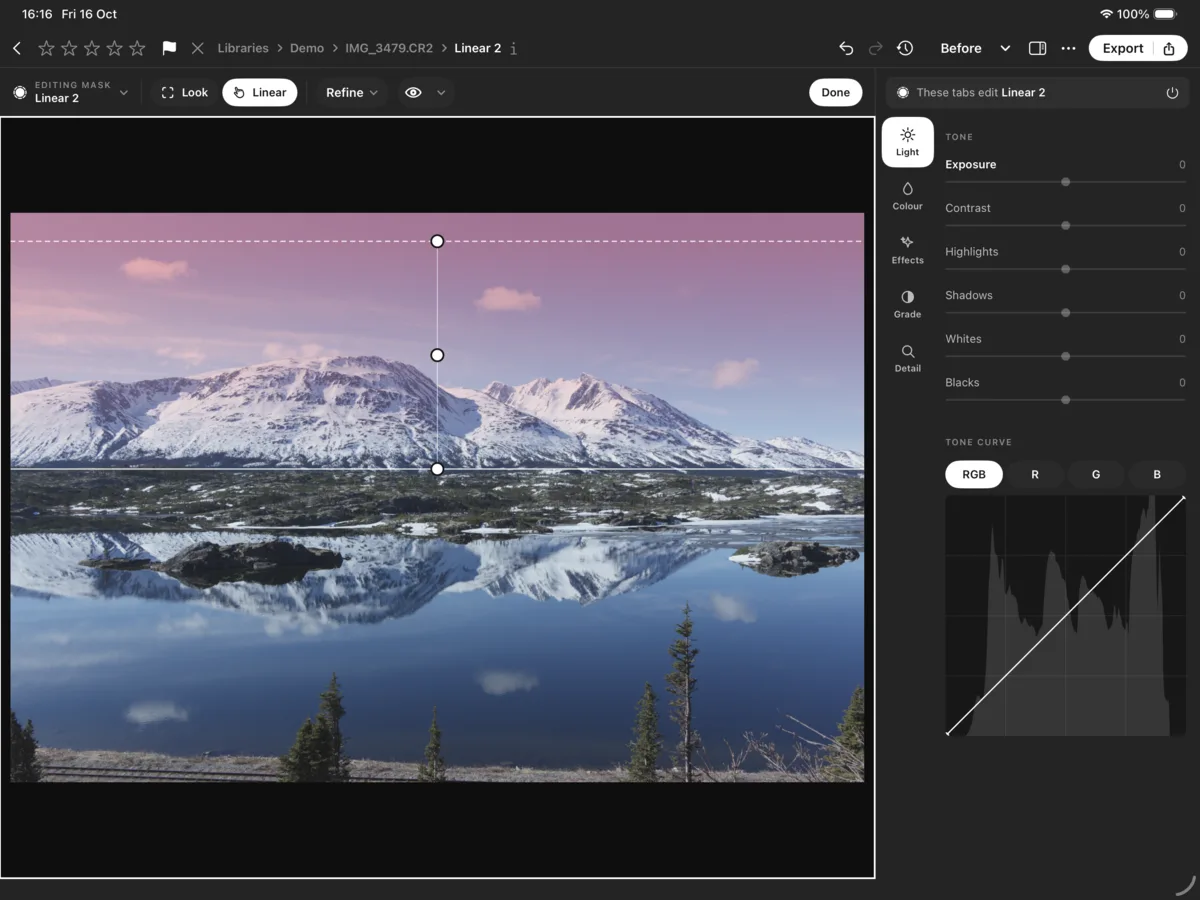
The sky, a subject, a person, water or greenery, found by models that run on the device; or draw a linear, radial or brush mask yourself. The red wash shows what a mask covers, and each mask gets its own light, colour, curve and grade.
Your photographs
Where you keep them.
In your Photos library, a folder in Files, an external drive, a NAS, or a synced folder such as iCloud Drive or OneDrive. For a photograph from Photos, Done saves the edit back to Photos. Numa never sends your photographs anywhere and has no cloud or account of its own.
The details
Colour, cost and questions.
Colour and looks
Camera and lens profiles, looks with a Strength slider, LUTs, one colour wheel for shadows, midtones and highlights, and presets imported from Lightroom and Capture One. RAW files from hundreds of cameras, as well as JPEG and HEIF.
What it costs
Numa needs iOS or iPadOS 26 or later. One purchase for iPhone, iPad and Mac, with no subscription. The TestFlight beta for iPhone, iPad and Mac opens once Apple’s review is done; write to me and you get the link as soon as it does.
Questions
Which iPhone or iPad do I need?
Any iPhone or iPad that runs iOS or iPadOS 26 or later.
Is there a RAW editor for iPad without a subscription?
Yes. Numa edits RAW, JPEG and HEIF on iPad and iPhone, with no subscription and no account. One purchase covers iPhone, iPad and Mac.
When can I try Numa on my iPhone or iPad?
The TestFlight beta opens once Apple has reviewed the app. Write to support@numa.photo and you will get the link as soon as it does.
Does Numa work with my Photos library?
Yes. Numa can open photographs from your Photos library and save your edits back to it when you tap Done. It also opens folders and drives through the Files app.
Do masks need an internet connection?
Only to download the model once, if you choose to. After that the masks are found on the device and nothing is sent anywhere.
More about Numa
Come along.
The TestFlight beta for iPhone, iPad and Mac opens once Apple’s review is done. Write to me and you get the link as soon as it does.